
Why do documents get “lost” on site?

“Which drawing is the latest version?”
“Where did I save that photo?”
Confusion like this happens all the time on construction sites.
There are three main reasons behind it:
1. Too many types of documents
2. Many people are involved
3. Yet, management methods are inconsistent
When design drawings, progress photos, and safety manuals are stored in different places, it becomes hard to find what you need at the right moment—creating unnecessary stress in daily operations.
That’s why it’s so important to consolidate information into one place and create an environment where anyone can access it instantly.
That alone can make site operations run surprisingly smoothly.
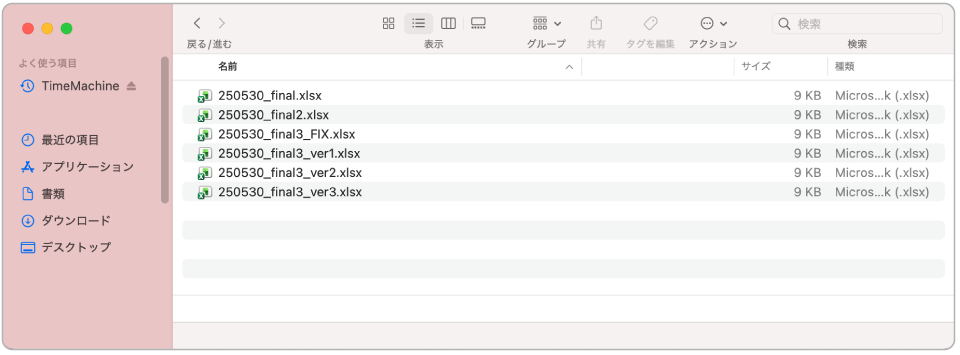
Common organization methods—and their limits
Many sites already use cloud storage and various apps to organize and share information.
Simply shifting from paper to digital—using cloud drives or sharing photos via apps—can significantly improve efficiency.
However, in real-world operations, teams often run into issues such as:
"Folder structures becoming too deep and hard to navigate"
"Difficulty identifying the latest version of a file"
Digitalization is only a means.
What truly matters is whether the system is designed so that anyone can use it without hesitation.
How “Books” transform on-site information management
Handbook X, an app designed around real on-site needs, brings all documents together in one place—anytime, anywhere.
This time, we introduce three practical use cases using the “Book” feature to achieve “zero lost documents” on construction sites.
1. Centralize site rules and safety checks in a “Manual Book”

Site rules and safety inspection information should always be accessible to everyone.
That’s where the Manual Book comes in.
By consolidating work procedures, safety measures, and emergency manuals into a single book, workers can instantly check them on tablets or smartphones.
And with offline access enabled, there’s no need to worry about weak signals preventing documents from opening.
Knowing that the information you need is always there builds trust—and supports the foundation of the site.
2. Instantly access the latest drawings with a “Drawing Book”

To prevent the confusion of “Which one is the latest?”, the Drawing Book is key.
By organizing drawings by work area or drawing type, anyone can access them intuitively.
Updates are reflected immediately, minimizing risks such as missed updates or referencing outdated drawings.
With tablets, drawings can be enlarged easily, making it smooth to check even the smallest details.
Organization, update speed, and readability—this powerful combination accelerates on-site decision-making.
3. Visualize progress with photo-based reports in a “Daily Report Book”

Have you ever thought, “I sent that photo by email, but now I can’t find it without scrolling forever…”?
The Daily Report Book solves this problem cleanly.
Photos taken on smartphones can be recorded directly by date, making it instantly clear who did what, and when.
Because Handbook X is optimized for mobile and tablet use, it’s easy to read, easy to use—and above all, intuitive.
A calmer, more confident site starts with “zero lost documents”
What’s lost when documents go missing isn’t just time.
Trust and peace of mind on site are lost as well.
For site managers, it’s crucial to ensure that even when team members are working in different environments, everyone can access the same information, in the same format.
This isn’t just about efficiency—it forms the foundation for teamwork, trust, and a better on-site atmosphere.
Even with paperless initiatives, issues like frequent updates and unstable connectivity can still make information hard to find.
That’s why well-designed information architecture—easy to organize, easy to view, and impossible to get lost in—is the key to improving speed, accuracy, and trust across the entire site.
With the Book feature of Handbook X, drawings, videos, and links can all be consolidated into a single book.
Anyone, anywhere, can use it without confusion.
That small improvement can finally turn
“Where did that document go?”
into a thing of the past.